|
Y!Q Link Generator An easy way to generate Y!Q links for your web pages. |
|
|
What is this? |
You can see examples of Y!Q links here at this weblog and all over Yahoo! News. |
|
The problem is that making Y!Q links by hand can be really complicated. The Y!Q Link Generator makes it easy. |
Here's some sample Y!Q code. |
|
Do this first
|
This is pretty easy in Blogger (click on "Template") and TypePad (using Advanced Templates). Here is a nifty tool for adding it to WordPress. |
|
Y!Q Link Generator |
That's it. |
|
1. Text for Y!Q Link |
It will end up
looking something like this in the context of your site: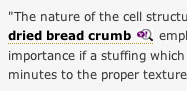 |
|
2. Deliver Yahoo! Search or Yahoo! News results? Y! Search Y! News |
One or the other. |
|
3. Number of search results you want displayed: |
The more, the better. |
|
4. Focus text |
This text will be hidden from the user if you don't include a search box. Useful in adding a layer of meaning not found in the original text. See example. |
|
5. Terms to ignore |
This text is hidden from the user. Useful in "cooking results" to make an editorial point. |
|
6. Include a search box at the top of the Y!Q box? |
Usually a good idea. |
|
7. URL of image to appear above search results: |
Must be hosted somewhere on the internet. Flickr square or thumbnail images are good sizes for the box. |
|
7. Text to appear next to image &
above search results
|
The image and the text here are good places for more editorial content, not just search stuff. Example. |
|
8. Sites to restrict search to |
This text is hidden from the user. |
|
Click here to see your Y!Q box: |
Remember, your box will behave differently based on your site's styles. See documentation for full css control. |
Just copy/ paste the text from this box to wherever you want it on your page. |
|
|
By: Daniel
X. O'Neil and Ben
Friedberg |
|